
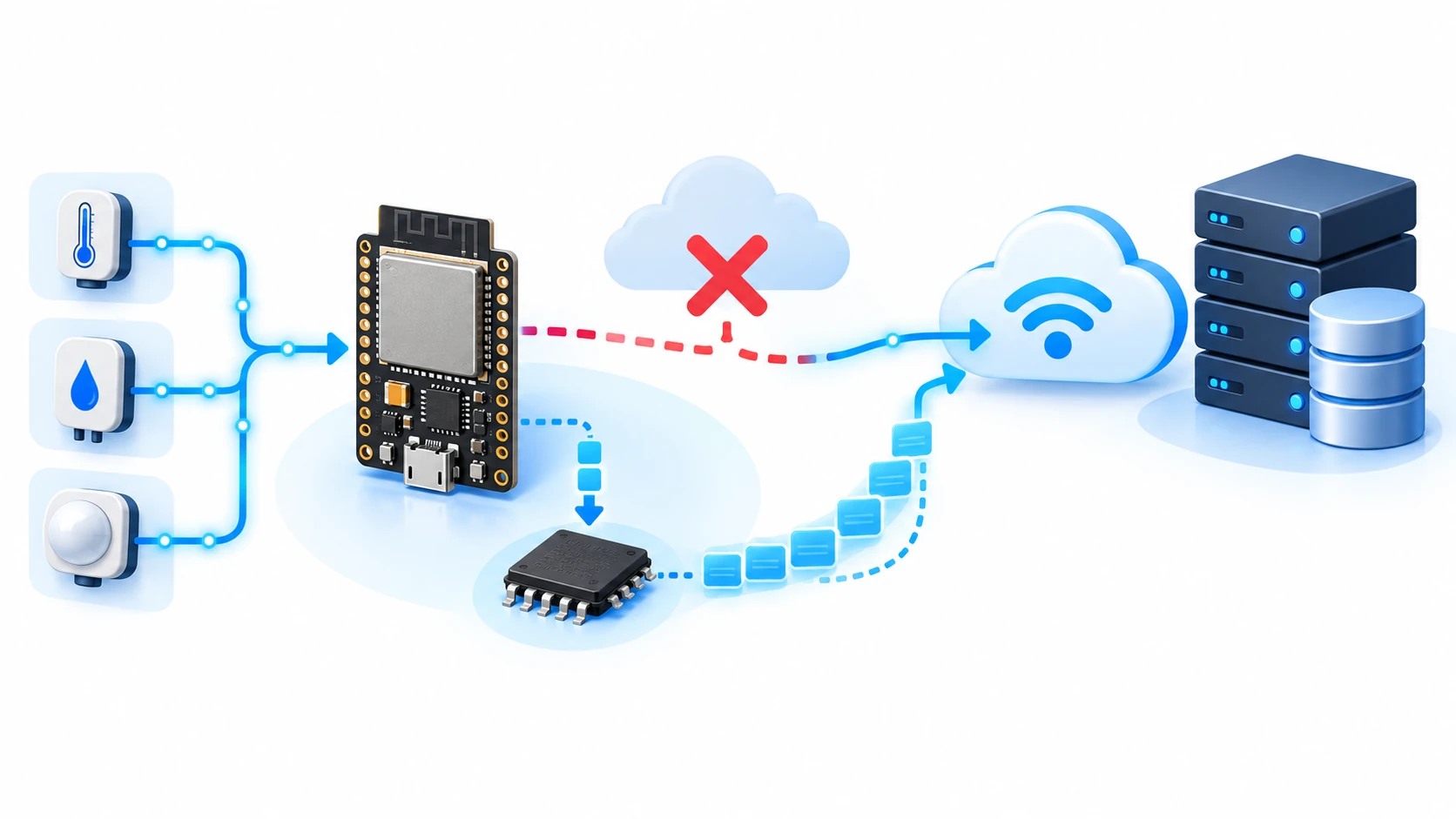
Local SPIFFS/LittleFS buffer when the network goes down
Saving data while the network is down is the easy part. The hard part is not destroying flash, knowing the time and not flooding the broker when the network returns.
Hardware requirements:
- Placa ESP32 ou ESP32-S3
- Partição de sistema de arquivos no particionamento
- Rede Wi-Fi e um broker MQTT para o teste de reenvio
Download this tutorial's materials:
- Projeto completo (ZIP)159 KBFirmware Arduino com buffer circular em LittleFS, registro binário de 12 bytes, acúmulo em RAM por setor, carimbo de tempo relativo e reenvio em lotes. Partições, README e manual em PDF.
- Manual em PDF (8 páginas)189 KBAs contas de desgaste da flash, o carimbo de tempo sem relógio, descarte e confirmação, tabela de dimensionamento e checklist de catorze itens.
Want to receive new manuals and industrial schematics? Join our channel on Telegram / WhatsApp
The data exists, and is lost
A gateway that reads a meter every ten seconds and publishes to the cloud works well until the internet goes down. Then, for forty minutes, it keeps reading and keeps throwing the readings away. When the network returns, the history for that period simply does not exist.
For a temperature display, that is annoying. For billable energy measurement, process traceability or investigating why a machine stopped at three in the morning, it is unacceptable.
Store-and-forward solves it: store locally while sending is impossible, then send when it is possible again. The idea is obvious. The implementation has three traps that almost no tutorial mentions, and this article is about them.
A RAM buffer is not enough
The first temptation is to store readings in an in-memory array. It is fast, simple and causes no wear.
It is lost on reboot. That would be tolerable if reboots were rare, but network failures and reboots happen together with uncomfortable frequency: a power loss causes both, the watchdog reboots when something hangs and an OTA update reboots by definition.
In other words, the RAM buffer tends to evaporate exactly when it matters.
RAM still has a role, as the next section shows. It just cannot be the only place.
Flash wear: the constraint that decides the design
This is the trap that separates a project that lasts from one that dies in months.
ESP32 flash supports a finite number of erase cycles per sector; the usual order of magnitude is one hundred thousand. Erase granularity is the entire 4 KB sector even if you changed ten bytes.
Do the math with one record per second, written directly with a sync after every write. In practice, that is one sector erase per second. One hundred thousand seconds is just under 28 hours.
File systems such as LittleFS distribute wear across sectors, which improves the picture considerably. In a 1 MB partition with 256 sectors, the same calculation gives roughly ten months. Better, and still unacceptable for industrial equipment.
The solution is not to write less data. It is to write less often:
| 1 | accumulate in RAM until a sector is full (4 KB) |
| 2 | write the entire block once |
| 3 | sync once |
With 64-byte records, one sector holds 64 readings. Writing once per minute instead of once per second reduces wear by a factor of sixty, taking service life from months to decades.
The price is losing up to one minute of data on an abrupt reboot. Compare that with destroying flash in ten months and the choice is easy. If your case cannot tolerate even that, use external FRAM, which supports orders of magnitude more cycles.
Fixed-size records, not a JSON line
The second temptation is writing one JSON line per reading. It is readable and convenient.
It is a trap for three reasons. The file grows without limit, because there is no way to overwrite the oldest line without rewriting the entire file. You cannot jump directly to record N without reading everything before it. And JSON uses three to five times more bytes than the information it carries, multiplying the wear from the previous section.
Fixed-size binary records solve all three:
| 1 | struct __attribute__((packed)) Registro { |
| 2 | uint32_t marcaTempo; |
| 3 | float valor; |
| 4 | uint16_t sequencia; |
| 5 | uint8_t origem; |
| 6 | uint8_t estado; |
| 7 | }; |
Twelve bytes per reading, always the same size. This lets you calculate record N's address by multiplication, overwrite the oldest without touching the rest and fit about three hundred readings in each 4 KB sector.
The packed attribute matters: without it, the compiler inserts padding to align fields and the record size is no longer what you calculated.
The circular buffer
With fixed-size records, the buffer becomes a ring: write at the head, read from the tail and wrap both around at the end.
| 1 | typedef struct { |
| 2 | uint32_t cabeca; |
| 3 | uint32_t cauda; |
| 4 | uint32_t total; |
| 5 | uint32_t marca; |
| 6 | } Indice; |
The index must be persisted too, or a reboot loses its position. Store it in a separate, small file, and not after every write — together with the block in the same sync.
The validity mark serves the same purpose as the watchdog article: without it, a corrupted index makes the firmware read garbage as data.
Drop the oldest or the newest?
When the buffer fills, something will be lost. Which thing is a design decision and depends on the data.
For continuous telemetry — temperature, current and pressure — drop the oldest. If the network was down for six hours and the buffer holds only two, you prefer the last two hours to the first two.
For events and alarms, the opposite is true. An overload alarm cannot be discarded because a lot of telemetry arrived afterward. In that case the right design is two separate buffers: a large circular telemetry buffer that drops the oldest and a small protected event buffer that never drops anything and signals when it fills.
Mixing both in the same ring guarantees that, at the worst moment, you lose the very record that explained the problem.
The timestamp is the hidden problem
Here is the failure that appears only after everything seems to work.
Offline data must carry the instant it was read, not the instant it was sent. If the server timestamps on arrival, six hours of buffered data become six hours of readings with the same time, making the history useless.
The ESP32 has no clock at power-up. It learns the time from NTP, which requires the network — the same network that went down.
The complete scenario is: power fails, the device starts without a network, and begins reading and buffering. It does not know the time, but still needs to timestamp each record.
Store relative time and convert it later:
| 1 | store millis() in the record, together with a session counter |
| 2 | when NTP synchronizes, calculate the real synchronization instant |
| 3 | for each record: instant = reference - (millisNow - millisAtRecord) |
This lets records carry the correct time even when generated before a clock existed. The session counter prevents mixing readings from before and after a reboot, whose millis values are not comparable.
It is extra work. Without it, the buffer delivers data with the wrong time, which is usually worse than not delivering it.
Delete only after confirmation
Resending and deleting immediately looks natural, and loses data.
If the connection drops between sending and confirmation, the record was deleted and never arrived. The correct order is: send, wait for broker confirmation and only then advance the buffer tail.
With MQTT, that means at least QoS 1 because level 0 confirms nothing. It also means accepting that the same record may arrive twice if the confirmation is lost — hence the sequence field in the record, allowing the receiver to discard duplicates.
The professional rule is: delivering twice is better than delivering zero times. Deduplication on the server is trivial; recovering lost data is impossible.
Resend without flooding the network
When the network returns with six hours of buffered data, the naive reaction is to dump everything as fast as possible.
Three things break. The broker may enforce a rate limit and drop the connection. The main loop gets stuck resending and stops reading the sensor, creating a new gap in the history. Peak consumption can also cause the brownout described in the watchdog article.
The correct approach is to resend in paused batches, interleaved with normal work:
| 1 | on every loop pass, send at most N records |
| 2 | then return to reading the sensor and handling the rest |
| 3 | if it fails, stop the batch and wait for the next pass |
Twenty records per pass, with the loop running ten times per second, drains two hundred per second. Six hours of buffered data at a ten-second sampling interval clears quickly without blocking anything.
Tutorial: from zero to a buffer that survives
Step 1: reserve space in the partition table
The buffer needs a file-system partition. If you followed the OTA tutorial, its table reserves SPIFFS at the end; that is the one.
On a 4 MB board with OTA, little remains. Size it deliberately: with 12-byte records, 512 KB stores about forty thousand readings.
Step 2: define the record and calculate capacity
Choose the fields and add the bytes. Then divide the partition size by the record size to find how many readings fit, and multiply by the sampling interval to find how many hours of autonomy you have.
This is the number you should communicate to the operator. Buffer autonomy is a specification, not a detail.
Step 3: accumulate in RAM before writing
Implement accumulation first, and writing second. With 12-byte records, accumulating 340 of them fills a 4 KB sector.
Also write when the accumulation exceeds a maximum time; otherwise a slow sensor could leave data in RAM for hours without protection.
Step 4: write and test persistence
Write the block, sync it and deliberately reboot the board. When it returns, the firmware should find the index, know how many records exist and continue where it left off.
If it returns empty, the index is not being persisted with the block.
Step 5: test the ring wrap
Deliberately reduce the partition size or record limit. Fill the buffer and keep writing.
The correct behavior is to overwrite the oldest records without growing the file or corrupting the index. Confirm that the count stops increasing when the ring is full.
Step 6: test resending while the network drops
Accumulate a few hundred records with the broker stopped. Start the broker and watch the batches drain.
In the middle of resending, stop the broker again. The buffer should stop draining without losing anything that has not been confirmed and resume when the broker returns.
This is the test that proves the implementation. If the number of records delivered at the end matches the number generated, it is ready.
Common errors and solutions
The flash died in a few months. Writing once per reading instead of once per block. Accumulate in RAM and write one sector at a time.
The file grows until the partition is full. You are appending instead of using a circular buffer. Use fixed-size records and overwrite the oldest.
The buffer is empty after reboot. The index is not persisted or is being written without synchronization.
All data arrives with the same time. The timestamp is being applied on arrival. Store relative time in the record and convert it when sending.
Records are missing after a drop in the middle of resending. You delete before confirming. Advance the tail only after broker acknowledgment.
The broker drops the connection when the network returns. Resending has no rate limit. Send in paused batches.
The sensor stops being read during resending. The loop is stuck draining the buffer. Limit how many records leave per pass.
An important alarm was lost while telemetry remained. The buffers are mixed. Separate a large circular telemetry buffer from a small protected event buffer.